
PRODUCT OVERVIEW
Ansys Speos predicts the illumination and optical performance of systems to save on prototyping time and costs while improving your product’s efficiency.
Product Features
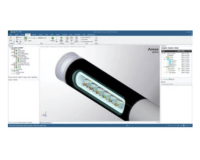
Standalone CAD interface and CAD integration
Speos provides an intuitive, easy-to-use CAD interface to handle 3D geometries and assets that can be natively created or imported from other CAD software.
Speos can rely on parametric modeling thanks to the CAD integrations providing the same look and feel as the CAD host graphical user interface, so non-optical experts can comfortably master the Speos workflow.
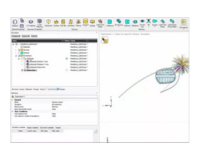
Design Optimization
Speos offers an embedded solution to set up an optimization based on a random search algorithm.
Variables are based on Speos parameters as well as geometrical ones.
Targets are based on values directly measured in the simulation results.
The design of experiment mode permits the generalization a design table from the selected variables to study the influence of different sets of values on the simulation results’ measurements.
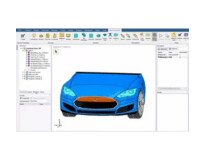
Direct Modeling
Direct modeling capabilities permit users to define and capture geometries quickly without the complexity of traditional CAD software.
Non-CAD experts can easily create geometries in a few clicks, reducing the geometry preparation time.
Simulation Performance
Speos GPU powered by Nvidia OptiX takes advantage of the Ray-Tracing hardware acceleration available in the latest generations of Nvidia GPUs to reach unmatched simulation performances with no tradeoff on accuracy. Experience the same Speos workflow and result quality in a fraction of the time. The Nvidia RTX6000 Ada Generation delivers performance on Speos simulation equivalent to more than 300 CPU cores.
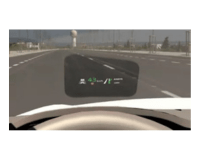
HUD: Design and Analysis
HUD design and analysis permits users to study the technical feasibility of a HUD according to windshield shape and packaging constraints
Automatic tools help design the optical system and improve the perceived quality of the image by optimizing layout and shapes, generating a rotation axis, calculating angles for multiple drivers’ sizes, and automatically displaying required optical volume.
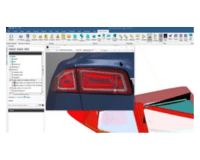
Simulation result experience
Speos Human Vision allows users to adjust displayed levels to fit with monitor maximum capabilities and set contrasts so that details seen on screen match with details are seen in real life.
Human Vision algorithms adjust automatically based on the luminance level constraint in the results.
Human Vision and 1:1 luminance are compatible with HDR10 displays for unmatched accuracy in color and contrasts. Stereoscopic (3D) displays and VR-HMDs are also supported to deliver true size and depth perception.
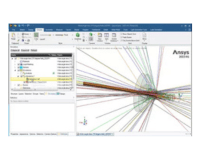
Ray tracing and Ray Propagation Engine
Understand ray behavior instantly and see the impact of modeling change as the ray path updates upon design modification.
Theoretical regularly sampled ray sources can design lighting concepts and manually guide the rays toward your target.
Visualize Ray Tracing from any light source to review and adjust your design before running any simulation.
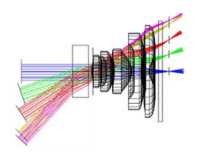
Advanced analysis tools
Light Expert offers the possibility to visualize interactions between light and the different geometries of the optical system to identify potential causes of stray light, ghost images, and reflections.
The stray light analysis capabilities of Speos permit designers to understand the behavior of the rays before they reach a sensor: all paths the light follows as well as the contribution of each sequence.
Result Layering: The rays integrated by the different sensors can be analyzed by separating the elements contributing to the simulation results.
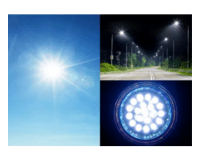
Light Sources
Most LED manufacturers provide measured ray files in the Speos format can define sources, similar to luminaire suppliers with the IESNA LM-63 and Eulumdat files.
Complex source emission can be considered at the LED chip level, accounting for the surrounding optics during the calculations.
For physics-based renderings, model ambient sources to add realism to the scene, as well as display sources for car interior simulations.
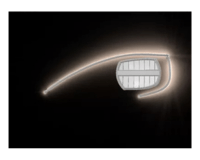
Lighting Application Optical Design
Using reflection or refraction properties, Speos offers an easy-to-use interface to design Reflector or Lens with variable grid definition (rectangular, circular, stripes, honeycomb, freeform type).
Geometrically define each pillow or by set the optical beam spread target with embedded optimization.
Speos offers the best-in-class lightguide design tool to smoothly control prism parameters variation and ensure efficient and homogeneous light distribution.
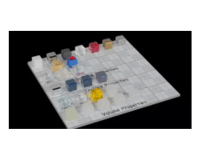
Optical Properties
Volume behavior of materials covers the spectral absorption, scattering, fluorescence, refractive indexes, gradient indexed, and complex refractive indexes, either as models or tabular input.
Surface behavior description extends from simple Gaussian/specular models to measured spectral 3D BxDFs, anisotropic, retroreflective, iridescent, polarized properties.
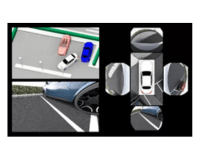
Sensor Integration
Speos offers dedicated capabilities to simulate and assess camera and lidar raw signals in a driving environment.
Starting from a digital mock-up, including surrounding geometries, sensor layout and surrounding targets, camera and lidar systems can be physically modeled.
Integrated into the CAD platform, data acquired by sensor systems can be simulated, considering its characteristics and constraints.
Multiphysics
Speos allows STOP analysis to evaluate the impact of mechanical deformation due to temperature variation on photometric performance.
Using Workbench integration, Speos and Mechanical connect automatically update the original design with the deformed geometries coming from Mechanical simulation.
Ansys Optics Solutions
OpticStudio can export optical lens system as a reduced model called Speos Lens System (.optdistortion file) for accurate and fast camera simulation. Please refer to the OpticStudio page to know more about OpticStudio’s capabilities.
Lumerical simulation grates simulation using SubWavelength Lumerical plugin. Lumerical is also useful in combination with Speos for accurate CMOS simulation.
Optical data exchange
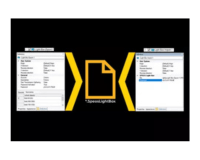
Speos Light Box permits the export and import geometries along with the associated optical data. Light Box can handle data exchange between suppliers and customers. It is compatible with multi-CAD platforms where Ansys software is integrated (SpaceClaim, Speos for NX, Speos for Creo Parametric).
The file format is encrypted so content cannot be edited outside Speos. Its security can also be reinforced with a password.
MODULES
Ansys Speos Helps You See Optical Simulation in a New Light!
Ansys Speos delivers an intuitive and comprehensive user interface, enhanced productivity with use of GPUs for simulation previews and easy access to the Ansys multiphysics ecosystem.
Design, Optimize and Validate Your Optical System
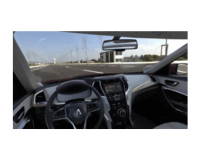
Turn on the light in your virtual model and intuitively explore the propagation of light in 3D. The Speos Live preview function features simulation and rendering capabilities so you can design products interactively. Cut iteration time and speed up your decision-making process by performing simulations correctly the first time, automatically designing for optical surfaces, light guides and optical lenses. To match your performance specifications, Speos combines powerful light analysis capabilities with illumination evaluation across the electromagnetic spectrum, allowing for high-fidelity visualization based on human vision capabilities. Deploy these visualizations in virtual reality for a fully immersive review experience.
Key Features
Ansys Speos optical design software uniquely simulates a system’s optical performance and evaluates the final illumination effect, based on human vision.
Standalone CAD interface and CAD integration
Desgin Optimization
Direct Modeling
Simulation Performance
HUD: Design and Analysis
Simulation result experience
Ray tracing and Ray Propagation Engine
Advanced analysis tools
Light Source
Lighting Application Optical Design
Optical Properties
Sensor Integration
Multiphysics
Ansys Optics Solutions Interoperability
Optical data exchange
Quick Specs
Connection with Multiphysics Simulations
CAD Connection
Visibility and Legibility
Ansys Cloud Integration
Speos Live Preview
Virtual Reality
Custom Materials Library
Robust Design Optimization for Optical Design
Human Vision
Speos Lens System
What’s New
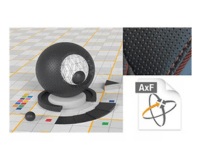
X-Rite AxF Support
Ansys Speos has introduced AxF (Appearance eXchange Format) support which integrates rich material appearance datasets directly into simulations, resulting in highly realistic results. The feature streamlines workflows by offering compatibility with the X- Rite scanners ecosystem, including the portable MA-T12, which helps simplify the process of managing and sharing material appearance data.
PySpeos
PySpeos, a Python-based API, enhances Ansys Speos’ capabilities by providing direct access to its core functionalities through the PyAnsys ecosystem, allowing developers to automate complex workflows, interface Speos with custom tools, and bypass traditional dependency on graphical interfaces or CAD software. Starting from 2025 R1, PySpeos will be publicly available on GitHub.
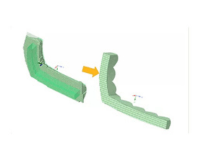
Advanced Optical Lens Design
Speos 2025 R1 provides advanced capabilities for defining optical lenses for headlamps, enabling the design and optimization of light injection while addressing styling constraints. Key features include advanced TIR lens design to redirect the incoming light by spreading it, better control homogeneity, and tools for trimming and shaping optical lenses during design.
Applications
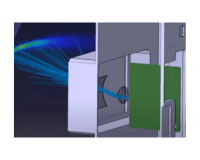
Autonomous Sensor Development
Ansys provides a comprehensive autonomous vehicle sensor simulation capability that includes lidar, radar and camera design and development.
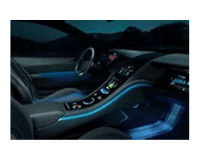
Vehicle Interior
Learn how Ansys simulation enables the optimization of vehicle interior design, from comfort and noise to the human machine interface.

Vehicle Exterior
Ansys simulation enables you to optimize automotive exteriors by lowering drag, reducing weight and improving fuel efficiency and range.