
PRODUCT OVERVIEW
Ansys CFX is the industry leading CFD software for turbomachinery applications. Shorten development time with streamlined workflows, advanced physics modeling capabilities and accurate results.
Product Features
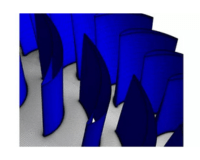
Blade Design and Optimization
Streamlined workflows with blade design integration to help optimize your design. Streamline your workflow starting from our blade design tools or software partner offerings, from design to mesh to a robust result. Design tools and optimization methods are integrated into our turbo workflows for the best design improvements.
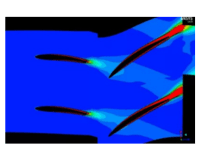
Aeromechanics
Improve safety of rotating components with accurate aeromechanical simulations. Early aeromechanical simulations help improve safety and durability of rotating components. Transient blade row (TBR) methods are used to reduce geometry from a full-wheel to a single passage. Problems are solved with time marching or harmonic balance.
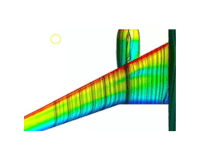
Turbulence Modeling
A wide range of turbulence models are available, allowing you to choose the best model for your application. CFX also includes the industry leading Generalized k-ω (GEKO) model. GEKO is a revolutionary concept with tunable coefficients that can be adjusted to different flow regimes.
Subcooled Wall Boiling
Accurately model wall boiling and calculate the critical heat flux using validated models for bubble growth, phase change, drag and non-drag forces.
Advanced Material Modeling
Get the most accurate results with real gas and fluids properties CFX’s advanced material modeling help generate the most accurate results. Real gas and fluid property tables can be created from the REFPROP database using adaptive methods to efficiently resolve changes in material properties (near critical point, for example). Liquid water and steam properties are selectable from the built-in IAPWS database.
Ansys CFX is the industry leading CFD
Ansys CFX’s advanced physics modeling capabilities help engineers solve the most complex challenges in turbomachinery applications. This powerful software has been extensively validated and is renowned for its robustness and accuracy. Streamlined turbo setups and blade design tool integration ensures that you have more time to spend optimizing your design. Whether it’s used for blade design optimization or advanced material modeling, CFX is the reliable tool you can use to save both time and money.
MODULES
State-of-the-art Technologies for Turbomachinery
Known for its extreme robustness, CFX is the gold standard CFD software when it comes to turbomachinery applications. Both solver and models are wrapped in a modern, intuitive, and flexible GUI, with extensive capabilities for customization and automation using session files, scripting and a powerful expression language. Highly scalable high-performance computing will help speed up simulations including pumps, fans, compressors and turbines.
Streamlined Turbo Setup and Post
Rotor-stator Interaction Models
Transient Blade Row Methods
Highly Scalable HPC
Key Features
Solve a variety of fluids-related problems with high levels of accuracy and unmatched speed
Blade design and optimization
Aeromechanics
Industry leading turbulence modeling
Nuclear Wall boiling
Advanced material modeling
Quick Specs
Streamlined Turbo Setups
Harmonic Balance Methods
Advanced Steam and Real-gas
Performance Map Automation
Expressions Models
HPC Scalability tool
Industry Leading Turbulence
Transient Blade Row Methods
Blade Film Cooling
Multi-stage CFD Modeling
Applications
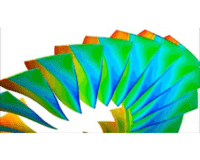
Time Decomposition
New time decomposition method splits each time plane into a separate task, solved on its own subset of cores.
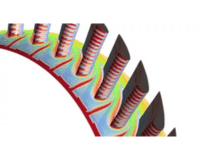
Blade Film Cooling
Improved visualization for injection regions with Blade Film Cooling, providing a more accurate representation of the true injection region shape.
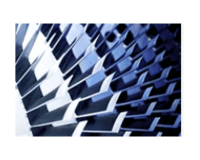
Gas Turbines
Ansys gas turbine simulation solution enables you to design and optimize the next generation of gas turbines.
Rotating Machinery
Ansys offers state-of-the-art software to help design a wide variety of rotating machinery equipment. Whether you are developing fans, pumps, compressors or turbines.
FAQs
What is Ansys CFX?
Ansys CFX is a computational fluid dynamics (CFD) software tool that allows you to design and optimize turbomachinery, including pumps, turbines, compressors, fans, and other rotating machinery. CFX is known for being the gold standard in accuracy for turbomachinery with extensive industry validation. CFX helps you improve your turbomachinery designs by improving efficiency, safety, and durability.
How do I learn Ansys CFX?
Ansys customers can learn CFX by taking one of our Ansys Training Courses, such as Ansys CFX – Getting Started.
How do I calculate volume in Ansys CFX?
The CEL expression volume()@DomainName will return the volume of the specified domain. A subdomain name or the name of any 3D mesh region can also be used in place of DomainName. You can also calculate volumes defined by solution variable values; for example in CFD Post you can create a Volume location and use the Isovolume option to define a volume where Pressure (or any other variable) is above, below or between specified values. Once that Volume location has been created in CFD Post, you can again use the volume()@LocationName expression to calculate its volume.
How do I download Ansys CFX?
Current customers can download Ansys CFX from the Download Center in the Ansys Customer Portal.
How do I export variables in Ansys CFX?
To export CFX Solver results to formats such as CGNS, EnSight, FIELDVIEW, MSC.Patran, or another customized format, select Tools > Export Results from the menu bar of CFX Solver Manager. The exported file set consists of either a single file for non-transient results, or multiple files for transient results, each containing a complete mesh and flow solution.
How do I plot a graph in Ansys CFX?
Convergence history plots and user point plots are shown on the monitor tabs. Each monitor tab shows at least one plot of a variable versus a time step, where the variable can be an RMS, maximum residual, or a user-defined variable. The Monitor Properties dialog box is accessed by modifying a monitor in Workspace Properties or by right-clicking the graph area in any CFX Solver Manager tab. Monitor Properties can be used to change basic display settings, such as name and visibility, change the range or scale of the sequence chart, create and modify derived variables or select a variable set and configure specific plot line variables. For additional visualization (plots, streamlines, contours, etc.) and quantitative analysis options for the CFX simulations, it’s possible to use CFD Post, a flexible, state-of-the-art postprocessor.